PERSONAL LAB · WINDOWS SUPPORT ENGINEERING
COC USB #1 — IT Technician Toolkit
Portable support automation, an offline troubleshooting playbook and verified release/rollback workflows.
Problem and approach
A working Ventoy toolkit needed consistent diagnostics, recoverable updates and problem-based guidance without losing existing media, tools or driver backups. I audited the existing assets, reused the collectors and introduced managed reporting and bounded automation.
Project-authored work
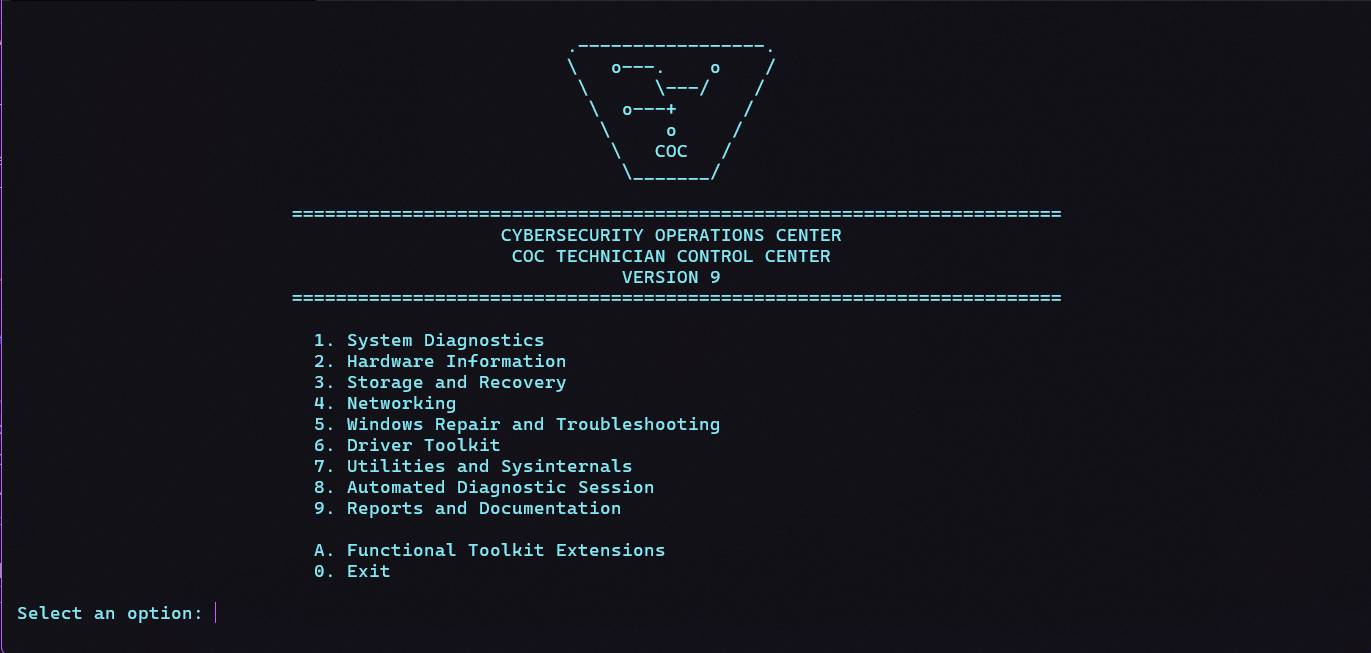
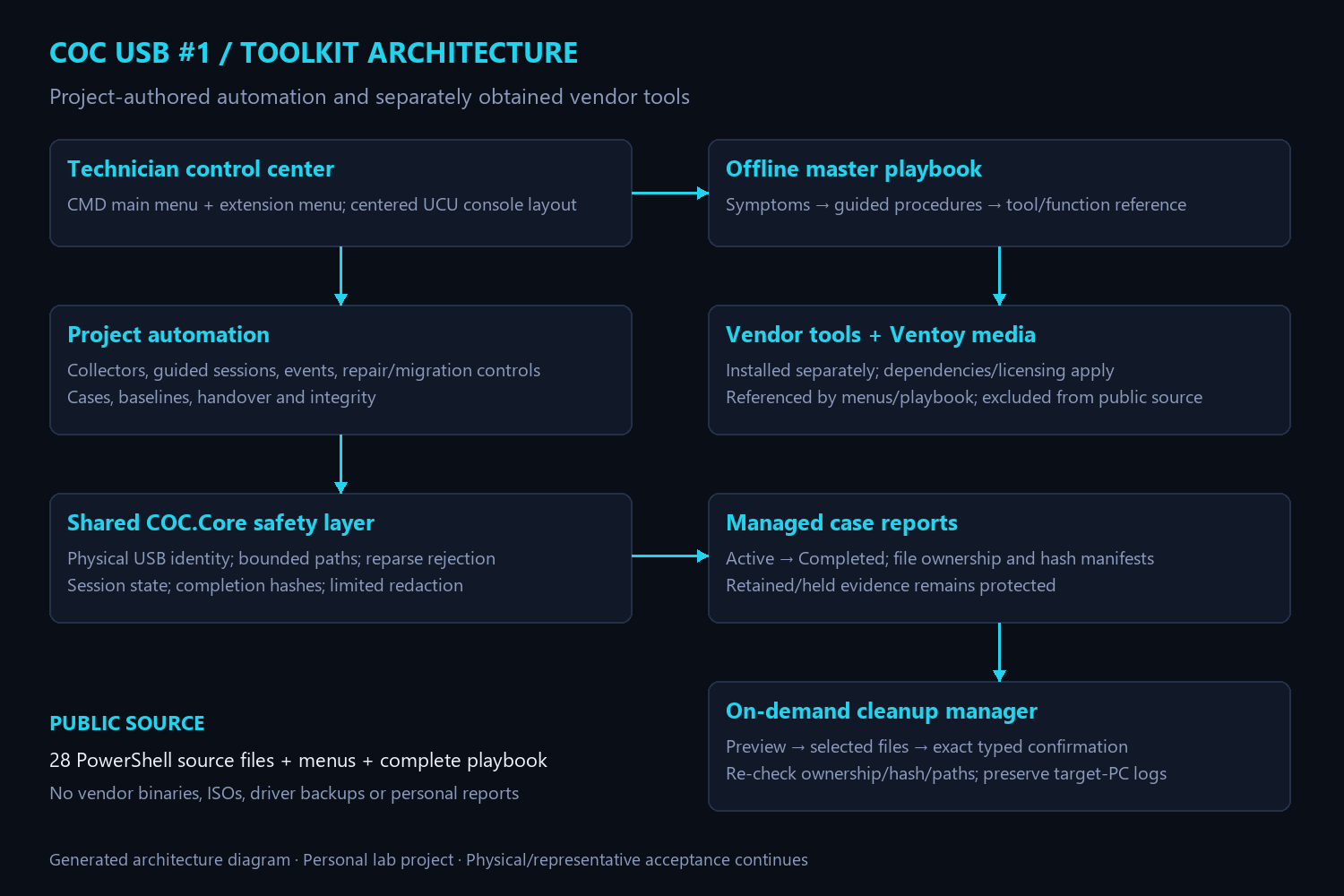
- 28 PowerShell source files, active technician menus and a console-centering helper.
- Managed collectors, automated/guided sessions, security/enterprise/event/BitLocker diagnostics.
- Preview-first repair and migration workflows, case baselines/comparison/handover and selective cleanup.
- Offline playbook with 18 sections, 27 workflows and 62 primary tool/function entries.
- Shared UCU branding, verified backups and file-integrity evidence.
Validation and limits
The actual USB functional and branding files/backups were hash-verified. Disposable installer success/rollback cases and 12 menu-navigation paths passed. Physical ISO boot tests and representative privileged repair/migration/restore checks remain separate acceptance work. This is personal lab engineering, not a production-readiness or professional employment claim.
Public deliverables
Repository and complete offline playbook ↗ · Engineering journal
Vendor binaries, boot media, driver backups and personal reports are excluded. The published hardware guard intentionally requires configuration for another device.
← Back to projects